My app · Voice memos to tasks
Talk into your phone. Get a readable journal and a to-do list.
A voice memo becomes a cleaned-up journal entry, and the tasks and events I mentioned show up in Slack for a one-tap yes.
Event-triggered design vs the old nightly run
Counted from my own build recordsOct 12 to 22, 2026
Counted from my own build records56 added; I approve every one
Counted from my own build recordsAcross the pipeline
Counted from my own build recordsWhat you’re looking at
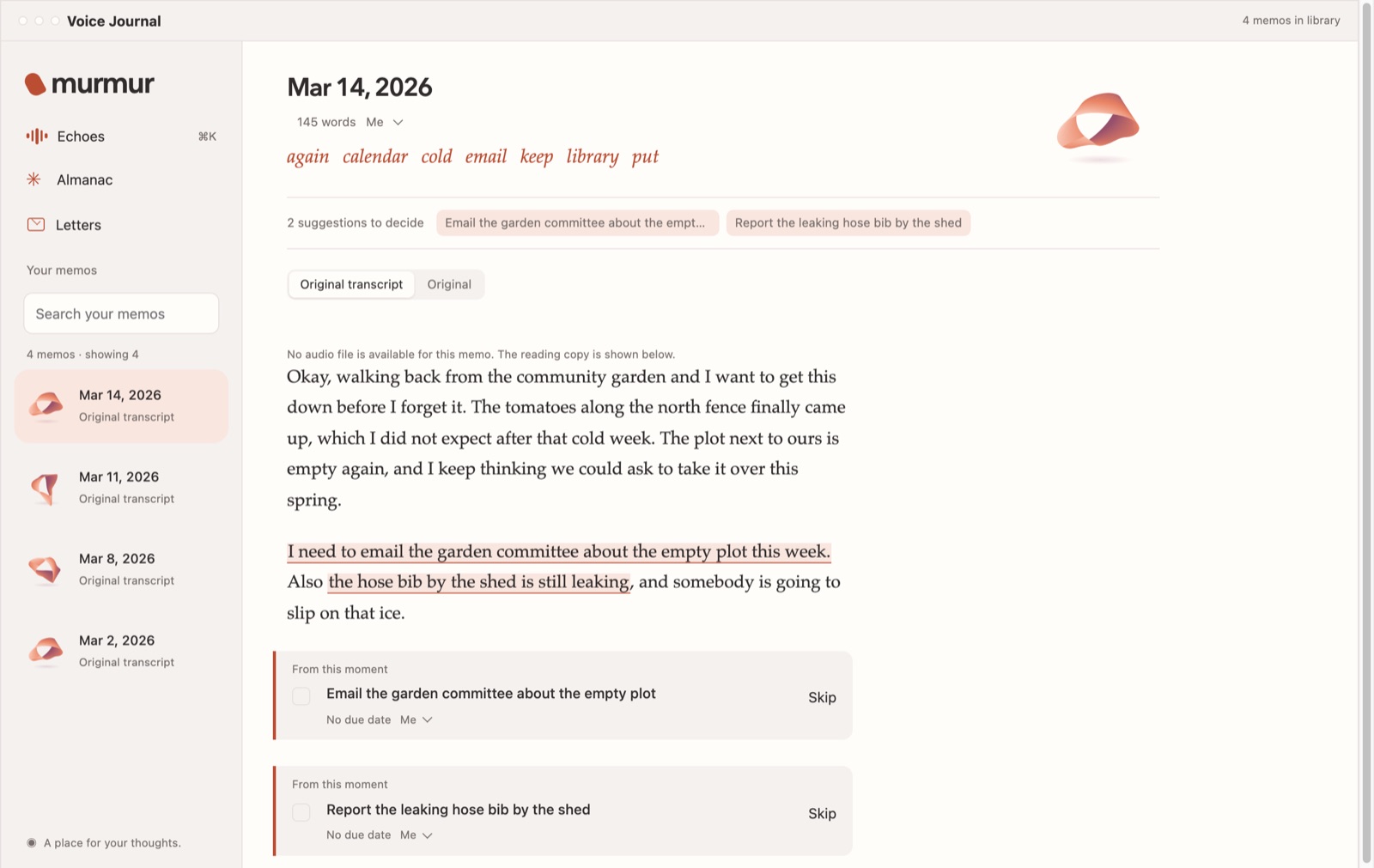
- What goes in. Your voice memo, transcribed and laid out as a page you can read.
- What comes out. The tasks and events you mentioned, each one beside the words it came from. Nothing is added until you say yes.
- Where it lives. Murmur is an app on your own Mac. Your library is a folder there.
The problem
I think out loud. Voice memos are the fastest way for me to journal, but a raw transcript is hard to read, and the things I said I’d do got buried in it.
I wanted the entry cleaned up without losing my voice, and the to-dos pulled out for me, without anything landing on my task list or calendar unless I said yes.
What I owned
The flow, the rules for what counts as a task or an event, and the approval step. Codex and Claude Code built and run it.
How it went
Transcribe on the Mac
When a recording is finished, my Mac transcribes it on-device with Parakeet. The audio never leaves the Mac.
Clean up, but keep every layer
A separate AI pass makes a readable copy. The raw transcript stays untouched, and every word-level edit is logged with its reason.
Suggest, never act
It pulls out tasks I asked for, up to three I clearly implied, and events with a date. Each one quotes the words it came from.
I decide in Slack
A DM lists each one with Add and Skip buttons. I can also type “add J1 E2” or “E1 is 2 hours”. Only what I accept goes to TickTick or my calendar.
Janet APP
Here are the suggested tasks and events from your 8:12 AM memo
Email the landlord about the radiator
“I need to email the landlord about the radiator this week.”
Renew the library card
“my library card ran out, I keep meaning to renew it”
Dinner with friends · Fri 7:00 PM
“put dinner with friends on the calendar Friday at seven”
Fictional example. No real journal content appears on this site.
How I know it works
- Nothing lands without a tap: the journal run never creates tasks or events. Only the apply step does, and only for items I accepted.
- Only I can approve: the Slack relay accepts clicks from my account only, and it’s the only piece that holds Slack credentials. The AI jobs can’t post to Slack themselves.
- Tests found real bugs before install: an odd button value dropped other clicks, and a blank reply posted an empty message. Both fixed.
- Done means verified: a memo counts as finished when the file stops changing and its length matches what Voice Memos reports, not after a timer.
What I’d do differently
My first transcription tool hit a 5,000-word weekly cap and its command line broke. I switched to Parakeet running on the Mac, which also means the audio never leaves it.